Android setup guide
Set up BlackSiren
Enable one Android keyboard, choose how you want to type or speak, then add AI features when you are ready.
Install or update BlackSiren through your private testing invitation. Local QWERTY works without signing in. Approved, licensed builds can add Dictation, Polish, and Rewrite after sign-in.
Enable and select BlackSiren
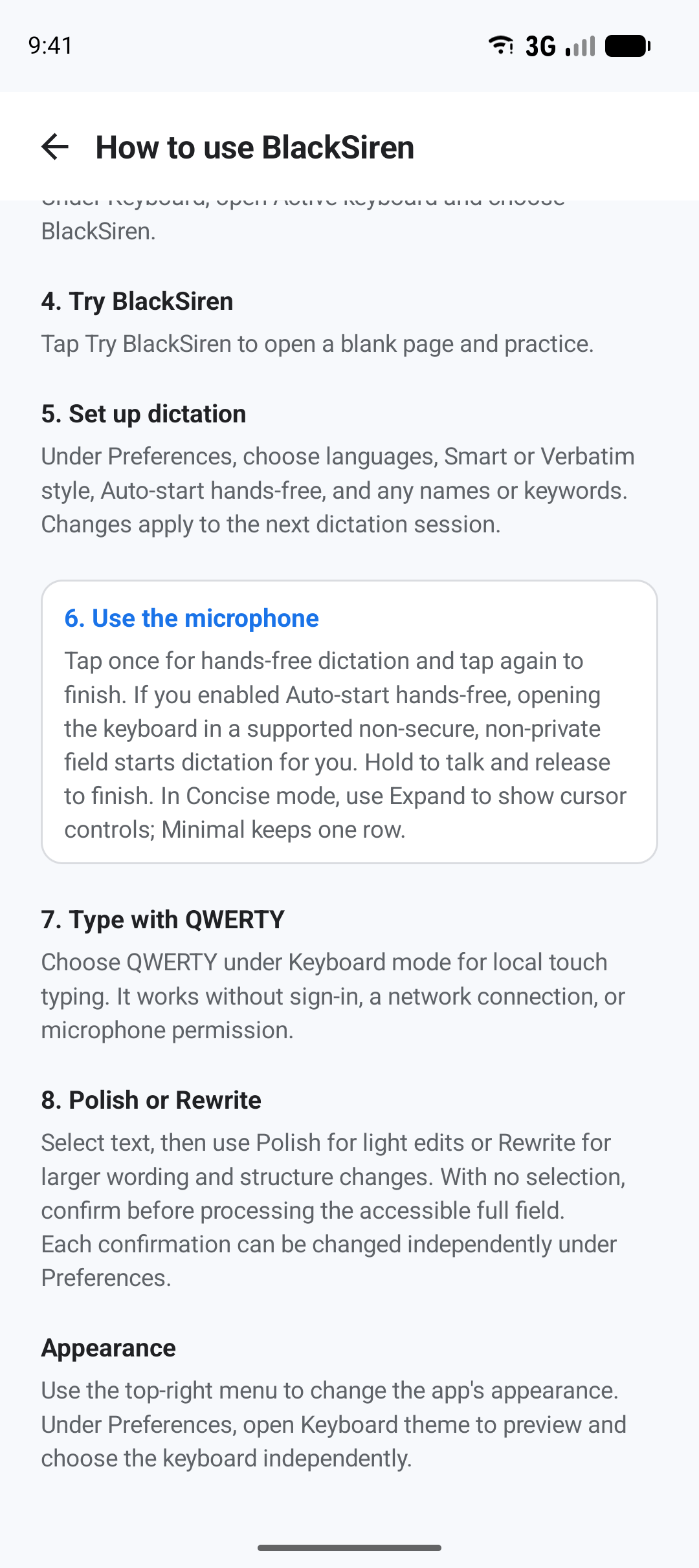
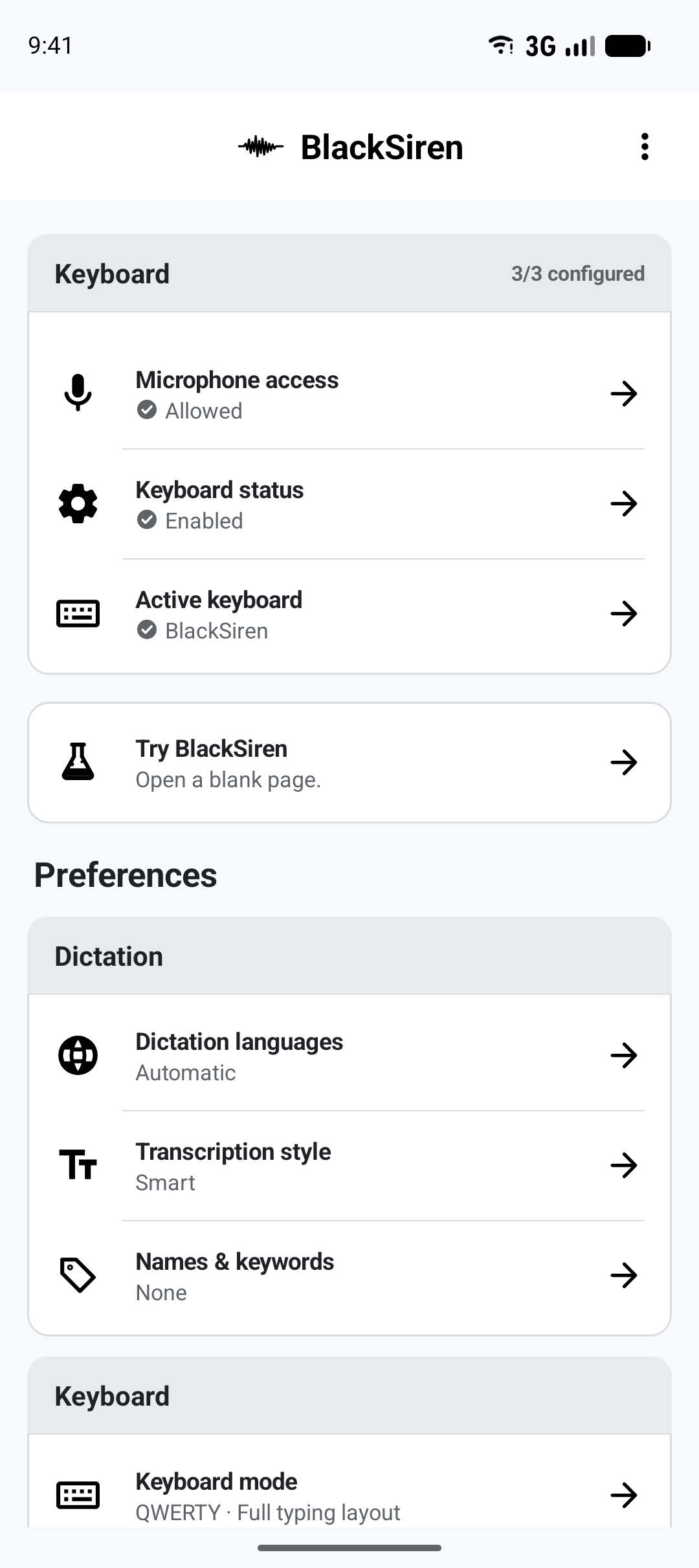
Open Keyboard status, enable BlackSiren in Android’s keyboard list, and confirm the system prompt. Then openActive keyboard and choose BlackSiren.
Enabling an input method does not start microphone capture or send text anywhere. Once selected, local QWERTY is ready without an account, network connection, or microphone permission.
Choose QWERTY or voice
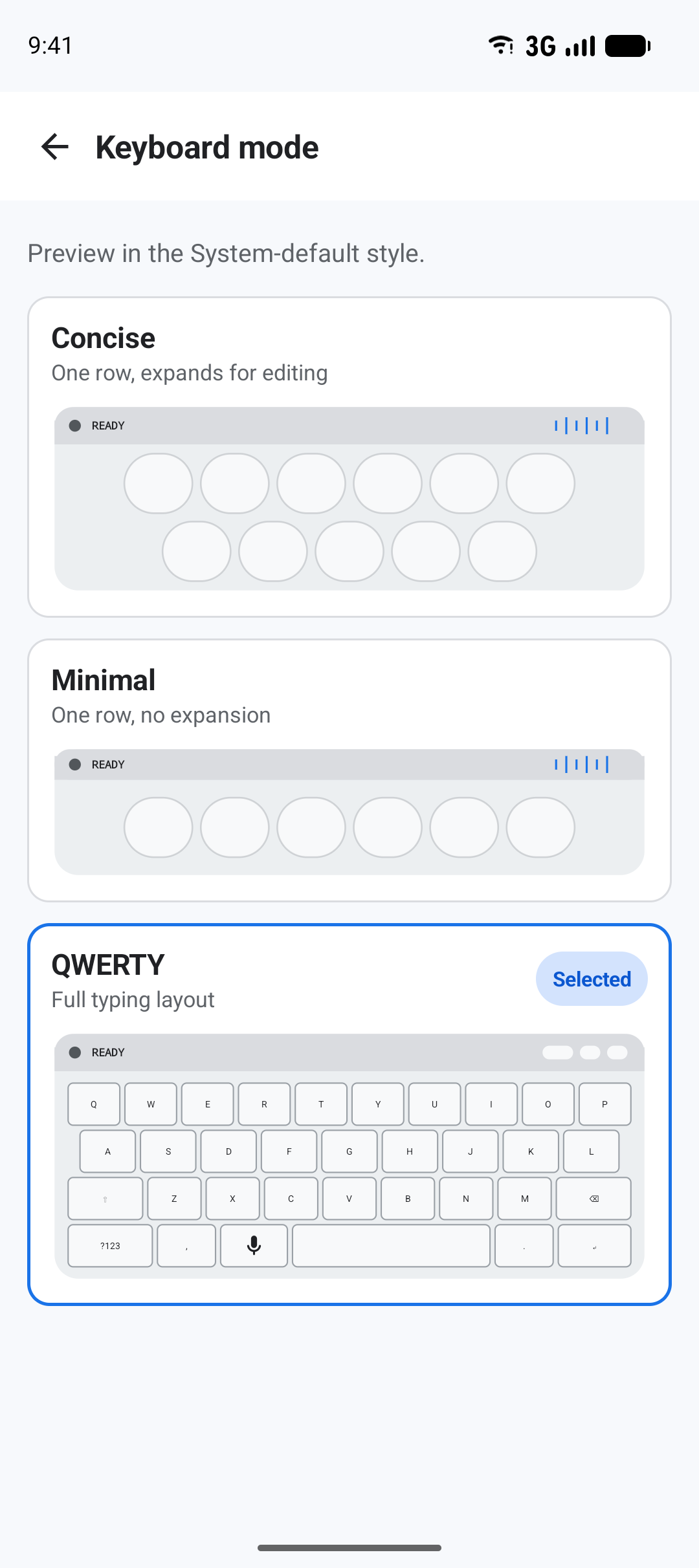
Open Keyboard mode. ChooseQWERTY for a complete local typing layout,Concise for voice plus expandable editing controls, or Minimal for the smallest voice surface.
QWERTY includes Shift and Caps Lock, symbol pages, repeated Backspace, accented long-press alternatives, and sentence capitalization. Field-aware pages prioritize useful characters for email, web, number, phone, and date/time inputs.
Practice in a blank field
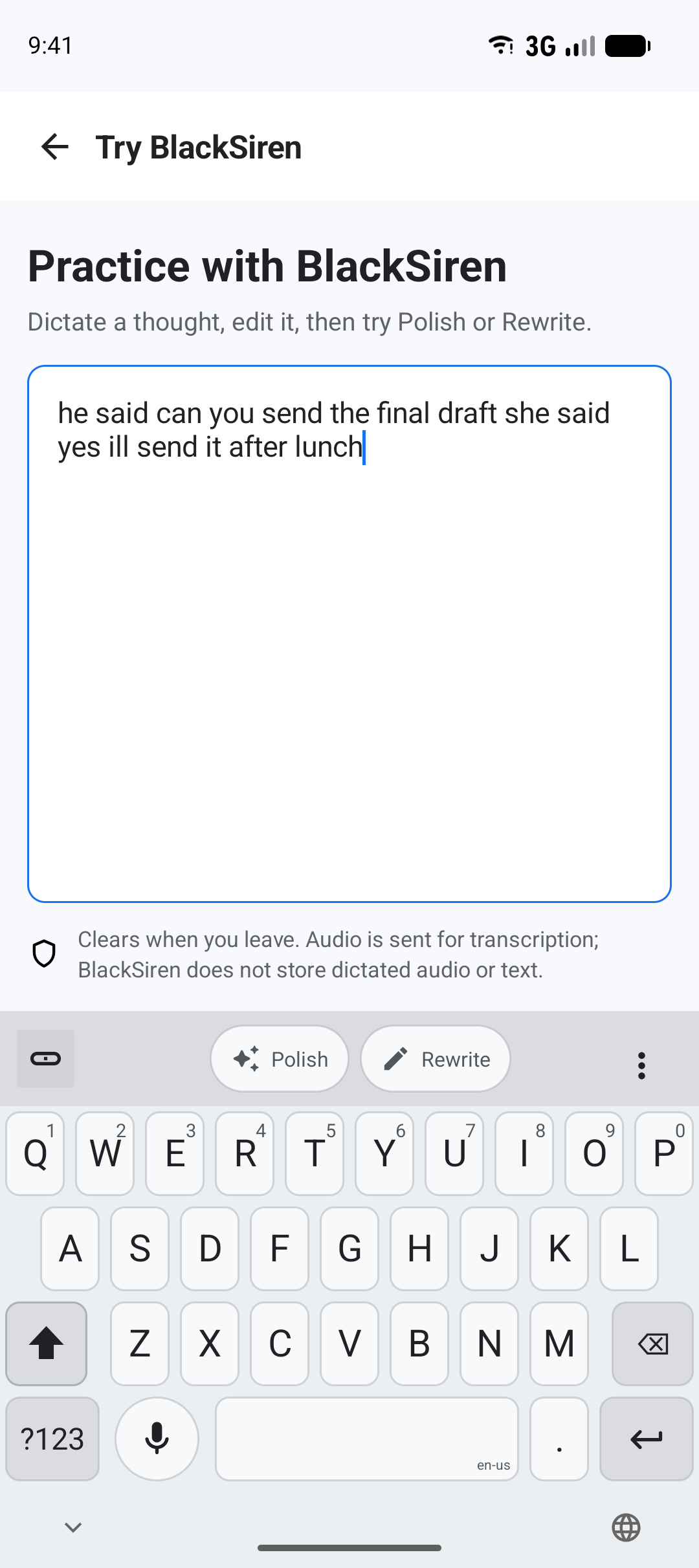
Choose Try BlackSiren from the dashboard. This opens a blank field that clears when you leave, so you can learn the controls before using the keyboard in another app.
- Type: Use QWERTY locally without signing in.
- Speak: Tap the microphone for hands-free dictation or hold it for push-to-talk after AI setup.
- Polish: Clean up selected text or, after the optional confirmation, the full accessible field.
- Rewrite: Ask for broader wording and structure changes.
Add secure AI features
Choose Sign in or create account. A secure Microsoft page shows the methods currently available. Then openMicrophone access and grant permission when you want Dictation.
The hosted page may offer an email one-time passcode, email and password, Google, or Microsoft account. Sign in the same way each time; Microsoft may create a separate BlackSiren account when an unlinked method is used.
- Integrity: Every AI session requires the approved app, license, version, and device-integrity verdict.
- Content boundary: QWERTY typing stays local. Dictation sends audio only when you start it; Polish and Rewrite send only the text you choose.
- Secure fields: Password fields keep Dictation, Polish, and Rewrite unavailable.
Make it yours
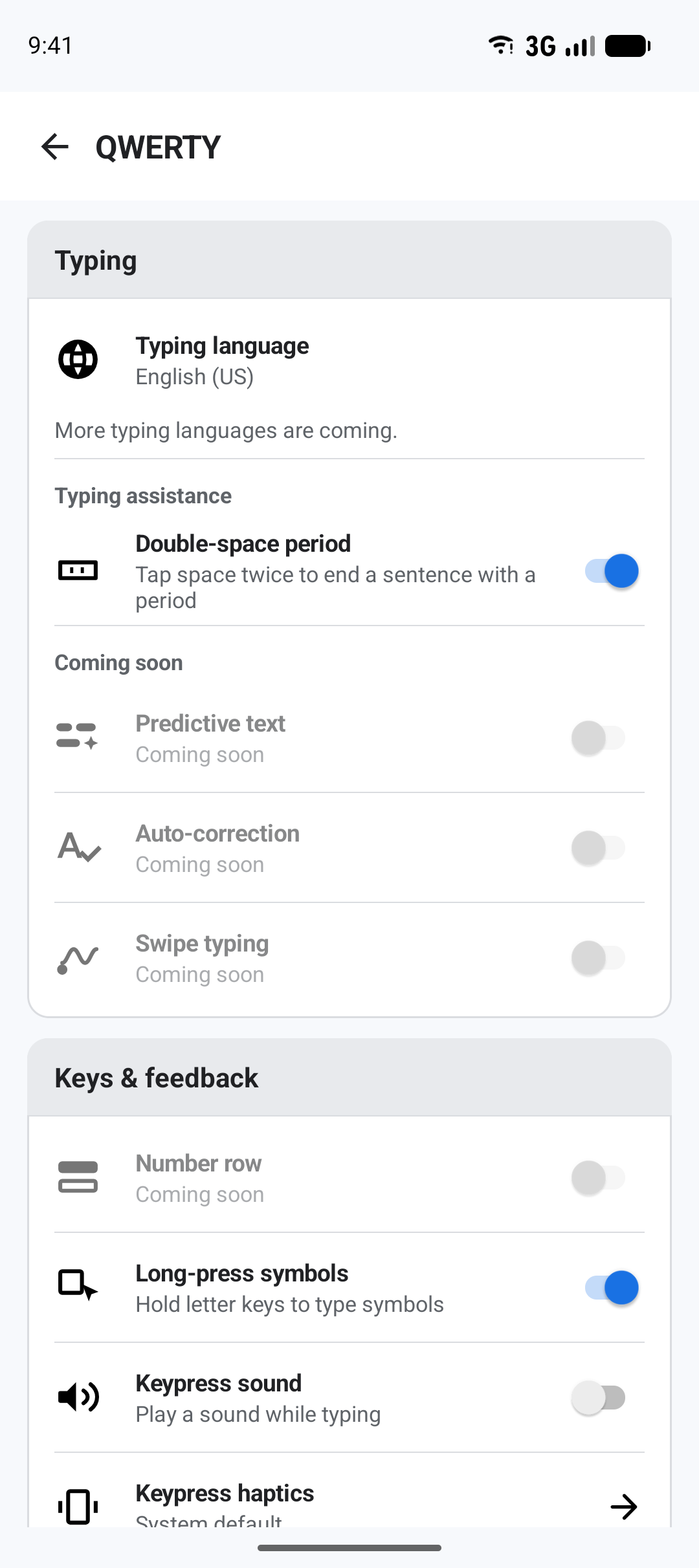
Open QWERTY under Preferences to choose the typing language, double-space period, long-press symbols, keypress sound, and haptic behavior. Predictive text, auto-correction, swipe typing, and the number row are visible as coming later.
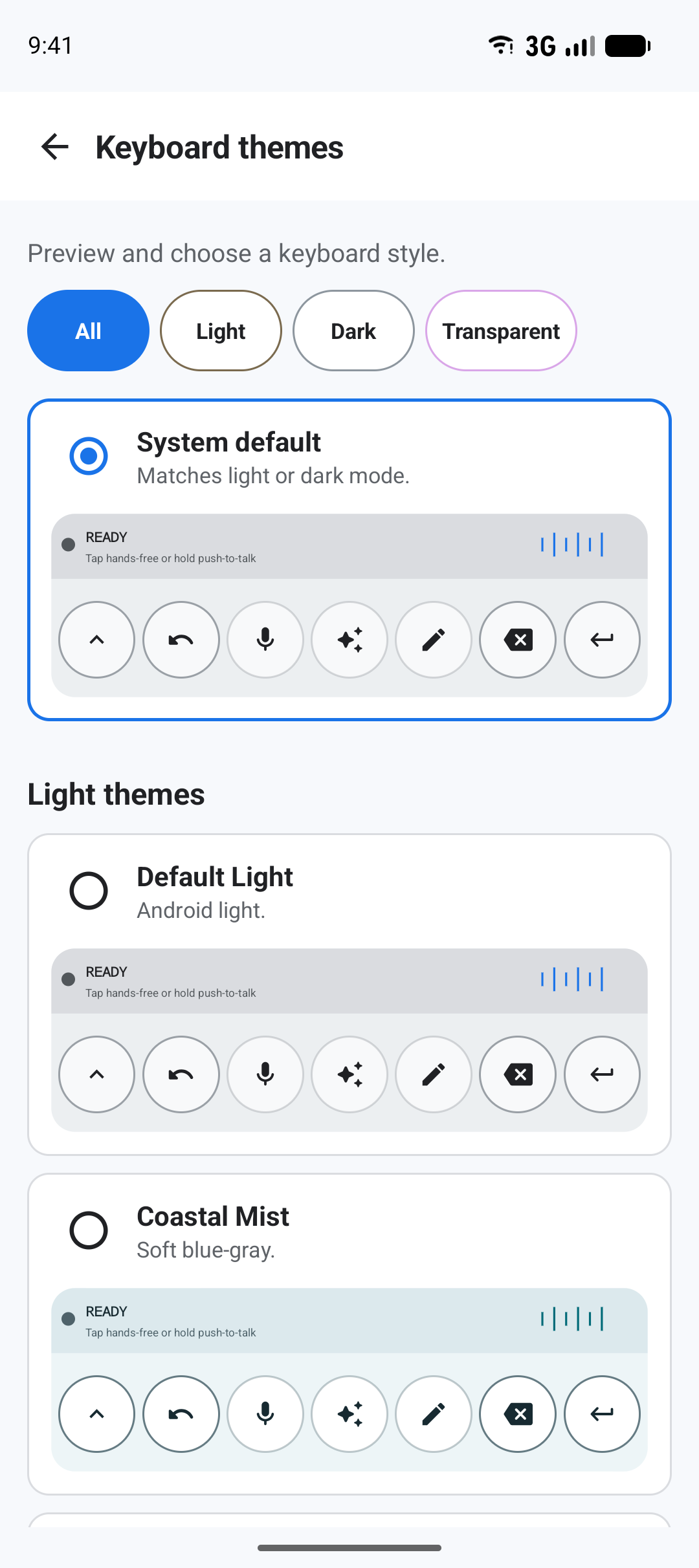
App appearance and keyboard theme remain separate. The theme catalog includes System default plus 6 light, 6 dark, and 10 transparent choices.
For Dictation, choose language hints, Smart or Verbatim transcription, Auto-start hands-free, and optional names or keywords. Polish and Rewrite each retain their own full-field confirmation.
Ready
Type now. Add voice when you want it.
Once BlackSiren is enabled and selected, local QWERTY is ready. Signed-in AI features add Dictation, Polish, and Rewrite where the active field permits them.